
One of the many benefits of trail running is the opportunity to connect (or reconnect) with nature. On a recent trail run through the San Tan Mountains I had the pleasure of enjoying the spring time bloom in the desert.







Happy running :-)
One of the many benefits of trail running is the opportunity to connect (or reconnect) with nature. On a recent trail run through the San Tan Mountains I had the pleasure of enjoying the spring time bloom in the desert.
Happy running :-)

On Saturday March 2, 2013 I did the Phoenix Half Marathon. A great turn out of runners and a beautiful day made this a very fun run.
I finished with a time of 1:51:29 with a pace of 8:31.
Happy Running :-)


In preparing for the Whiskey Row Marathon in May I have added a lot more trail and hill work to my weekly training regimen. A great place to get in miles of trails and some very tough hills is the San Tan Mountain Regional Park which at this time of the year is a beautiful place to run.










Happy Running :-)

On February 2, 2013 I competed in my first full marathon, the 8th Annual Sedona Marathon. I placed 134th out of 258 runners with a pace of 11:20 and finish time of 4:57:06.
The Sedona marathon was a very challenging race that pushed my mind and body very hard. The combination of steep hills and trail race on a dirt roads make it one of the hardest marathon’s in the country. I ran very strong up through about mile 20, but the last 6.2 miles were a real test of my physical and mental game. I learned a lot about my resolve to set out and complete a goal. Running in the beautiful red rocks of Sedona with very cool people added to the amazing experience.
My wife also did an amazing job by completing her first 1/2 marathon in 2:38:46.

With my first marathon under my belt, tomorrow starts the training for my next marathon, Whiskey Row Marathon on Saturday, May 4, 2013. From the course description:
This out-and-back course is considered one of the most challenging in the United States. Starting at 5,280 feet, the elevation increases to 7,000 feet over the first seven miles, then down to 5,600 feet at the 13-mile turn around. The course is paved road for the first and last five miles, while the rest of the running route is a trail race on a dirt road maintained by the US Forest Service.
Happy Running :-)
For the past 6 months I have been running with Luna Sandals. Lunas are amazing minimal running gear, giving you as close to barefoot feel you can get with some foot protection.

Running with the Lunas has really helped me perfect my running technique, specifically my 1-2-3 landing.
Unfortunately, with my improved technique and the 45 mile plus weeks I have been putting in on the road and trails they are not holding up to the challenge with the laces start to fray.

I decided I need footwear that would hold up the long runs, but still give me that minimal running feel. I settled on the New Balance Men’s MT00 Minimus Zero Trail Running Shoe based on great endorsements from Anton Krupicka a serious ultra runner.

I have clocked about 50 miles on Minimus double zeros and I am very happy with them. There has been a little chafing around my big toe, but nothing that Bodyglide Balm can’t solve.
I have to say bye to my Lunas for my daily running, but I will still wear them for comfortable walking sandals or the occasional warmup runs.
Happy Running :-)

In 48 days I will be competing in my first full marathon, the 8th Annual Sedona Marathon February 2, 2013 in beautiful Sedona, Arizona. My wife will also be there running her first half marathon.
The nervousness combined with excitement is building everyday which is helping to motivate my daily training runs. I started my serious training preparation on Nov 1 and I have logged over 232 miles with average pace of 9:00 per mile. I am feeling very confident and comfortable running 15 plus mile long runs at least once a week. I am up to 45 mile plus weeks which I will hold that through the rest of December, then tapper down a little going into the run on February.
Happy Running :-)
My good friend Aaron Raddon who is the co-founder of Lytics an analytics platform that enables companies to perform operational analytics so that they can use data to power their business and applications to increase ROI. Just graduated from PIE and is in the process of finalizing a seed round of funding, congrats Aaron!
Lytics solves the real problem that faces companies today; getting value out of data from multiple sources across the cloud or within the company. As Aaron puts in his presentation:
Every data point is a new opportunity
You can checkout Aaron’s great PIE demo day presentation or read about the buzz.
Like many web developers today I work with a variety of technologies to deliver a compelling product. Technology frameworks like Rails do a pretty good job of abstracting the more complex bits to allow the developer to focus on building the core functionality of the web app. Unfortunately, the typical web stack still has a lot of moving parts, so as you jump from the various languages and technologies it can be difficult to remember specific syntax or commands. So how do you remember everything?
Why worry about remembering everything..that is what your computer is for!
When developing I usually have several terminal windows open for running unit tests, REPL, db consoles, etc. The problem is if I need to remember a specific syntax or command for something I usually have to open up a browser window to do quick look up, which can really break my development flow.
Cheat sheets are great ways to remember those types of things and for years my cheat sheets have been text files that I would a grep for looking up notes. That approach worked, but was a little cumbersome. So I decided to throw a little Ruby at the problem and what emerged was Cheater, a simple Rake based tool for looking up cheat sheets for common code & console commands.
Cheater uses rake tasks to read YAML files that contain the cheat sheet commands & descriptions to print to your terminal window.
$ rake cheater:docs
Available Cheat Sheets
 rake cheater:capybara # Cheat Sheet for capybara.
 rake cheater:git # Cheat Sheet for git.
 rake cheater:rspec # Cheat Sheet for rspec.
$ rake cheater:capybara
CAPYBARA Navigating
 visit('/projects') # Navigates to given path.
 visit(post_comments_path(post)) # Navigates to given path; named route.
 current_path # Path of the current page, without any domain information; i.e. current_path.should == post_comments_path(post).

CAPYBARA Clicking links and buttons
 click_link('id-of-link') # Clicks link based on id of the anchor.
 click_link('Link Text') # Clicks link based on the text of the anchor.
 click_button('Save') # Clicks the button based on the text.
 click_on('Link Text') # Clicks on either links or buttons.

...

$ rake cheater:git
GIT CREATE COMMANDS
 git clone ssh://user@domain.com/repo.git # Clone an existing repository.
 git init # Create a new local repository.

GIT LOCAL CHANGES COMMANDS
 git status # Changed files in your working directory.
 git diff # Changes to tracked files.
 git add # Add all current changes to the next commit.
 git add -p  # Add some changes in  to the next commit.
 git commit - a # Commit all local changes in tracked files.
 git commit # Commit previously staged changes.
 git commit --amend # Change the last commit.

GIT COMMIT HISTORY COMMANDS
 git log # Show all commits starting with newest.
 git log -p  # Show changes over time for a specific file.
 git blame  # Who changed what and when in

...

$ rake cheater:rspec
RSpec::Expectations Equivalence
 actual.should eq(expected) # Passes if actual object == expected object.
 actual.should == expected # Passes if actual object == expected object.
 actual.should eql(expected) # Passes if actual.eql?(expected).

RSpec::Expectations Identity
 actual.should be(expected) # Passes if actual.equal?(expected).
 actual.should equal(expected) # Passes if actual.equal?(expected).

RSpec::Expectations Comparisons
 actual.should be > expected # Passes if actual is greater than expected.
To add to cheater you simply create a new cheater_[cheatsheet].yml file and drop it into the cheater directory. Then from your terminal run rake cheater:[cheatsheet].
Today my wife and I ran the 2012 Hospice Run For Life in Flagstaff, AZ. The 7,000+ elevation was very challenging, but a whole lot of fun. I completed with a time of 1:00:44 and my wife did amazing for her second race coming in at 1:10:36.

The event was organized well and the people of Flagstaff are some of the nicest people in the country.
New Article: Building a Rails Gmail Client Outside-In/
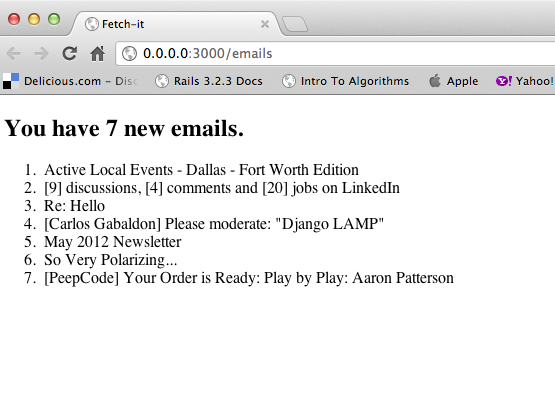 For all the new projects that I start with my stakeholders I have been pushing Outside–in software development and Specification by example. Specification by Example really improves the collabora…
 On May 5th my wife and I did the 2012 Whiskey Row Marathon 10k. It was very challenging and a lot of fun. The Proceeds from this race go directly into the scholarship fund at the Prescott YMCA to assist children and families in financial need to participate in child care, swimming lessons, youth sports and gymnastics classes. Prescott is my home town and most of my family still lives up there so it was great to do the run and spend time with the family. This was my wife’s first race and she did amazing.
After the race we spent some quality time at PBC enjoying some great beer. My dad also hooked me up with a pretty cool solar lite bottle opener from a local Prescott company called Solarfunstuff.
Our next run will be the 2012 Hospice Run For Life in Flagstaff, AZ on June 23. At 7,000 feet (2,130 m) elevation it should prove to be another challenging and exciting run.
Simple way to render partials with Sinatra:
https://gist.github.com/119874#gistcomment-238742
After upgrading to Ruby 1.9.3 I spent most of the morning trying to figure out why my IMAP code was giving a segfault
..
1.9.3p0 :001 > require 'net/imap'
 => true
1.9.3p0 :002 > m = Net::IMAP.new('imap.gmail.com', 993, true, nil, false)
/Users/carlos/.rvm/rubies/ruby-1.9.3-p0/lib/ruby/1.9.1/net/imap.rb:1439: [BUG] Segmentation fault
ruby 1.9.3p0 (2011-10-30 revision 33570) [x86_64-darwin11.3.0]

-- Control frame information -----------------------------------------------
c:0028 p:---- s:0108 b:0108 l:000107 d:000107 CFUNC  :connect
c:0027 p:0198 s:0105 b:0105 l:000104 d:000104 METHOD /Users/carlos/.rvm/rubies/ruby-1.9.3-p0/lib/ruby/1.9.1/net/imap.rb:1439
c:0026 p:0172 s:0100 b:0100 l:000099 d:000099 METHOD /Users/carlos/.rvm/rubies/ruby-1.9.3-p0/lib/ruby/1.9.1/net/imap.rb:1036
c:0025 p:---- s:0091 b:0091 l:000090 d:000090 FINISH
c:0024 p:---- s:0089 b:0089 l:000088 d:000088 CFUNC  :new
c:0023 p:0023 s:0083 b:0083 l:001b28 d:001470 EVAL   (irb):2
c:0022 p:---- s:0080 b:0080 l:000079 d:000079 FINISH
c:0021 p:---- s:0078 b:0078 l:000077 d:000077 CFUNC  :eval
..
Turns out it was related to OpenSSL and the fact that I forgot to install the Ruby OpenSSL extensions. Chris Irish’s post reminded me of the requirement.
$ rvm remove ruby-1.9.3
$ rvm install ruby-1.9.3 --with-openssl-dir=/opt/local --with-iconv-dir=$rvm_path/usr

..

1.9.3-p0 :003 > m = Net::IMAP.new('imap.gmail.com', 993, true, nil, false)
 => #<Net::IMAP:0x007f808500cc30 @mon_owner=nil, @mon_count=0, @mon_mutex=#, @host="imap.gmail.com", @port=993, @tag_prefix="RUBY", @tagno=0, @parser=#, @sock=#, @usessl=true, @responses={}, @tagged_responses={}, @response_handlers=[], @tagged_response_arrival=#<MonitorMixin::ConditionVariable:0x007f808500c280 @monitor=#, @cond=#<ConditionVariable:0x007f808500c258 @waiters=[], @waiters_mutex=#>>, @continuation_request_arrival=#<MonitorMixin::ConditionVariable:0x007f808312c1d0 @monitor=#, @cond=#<ConditionVariable:0x007f808312c1a8 @waiters=[], @waiters_mutex=#>>, @idle_done_cond=nil, @logout_command_tag=nil, @debug_output_bol=true, @exception=nil, @greeting=#<struct Net::IMAP::UntaggedResponse name="OK", data=#, raw_data="* OK Gimap ready for requests from 174.19.150.134 7if4443230pbt.12\r\n">, @client_thread=#, @receiver_thread=#, @receiver_thread_terminating=false>
1.9.3-p0 :004 >
More fun with Tornado!
Last week I started working with a cool new web server.
I am at the SCALE 10x conference today in LA. I just finished registration, the line was long, but I made it through.
The first talk I will be attending is called Mentoring Moments: Creating Opportunities for Success presented by Amber Graner
I will be doing live blogging throughout the day..
UPDATE….
Mentoring Moments: Creating Opportunities for Success presented by Amber Graner.
What is a mentor?
– Strong interpersonal skills
– Strong Supervisory Skills
– Knowledge of the project
— Have a broad knowledge of the project to match up people
– Interested in someone else’s growth
— What their feedback, you care about their growth..It can not be about you it has to be about their growth.
What Mentors Do?
– Set high expectations of performance, but not unattainable.
– Offer challenging ideas
– Help build self confidence
– Encourage professional behavior
– Offer friendship
– Listen to personal problems
– Control negative behaviors & attitudes
– Teach by example
– Provide growth experiences
– Explain how the project works
– Couches are not the same as mentors
— Couches successes can be easily measured by performance
— Mentors teach the whole of the person
— Interpersonal skills
— Communication skills
— Good leaders are usually good mentors
– Mentors are self aware of their actions & behaviors
– Open source work should be put on their resume..
What makes you a mentor?
– Role Model
— People want to emulate their behavior
– Teacher
– Friend
– Support
– Resource
What are moments?
– teaching someone skills in brief periods of time, should be present.
How to create moments?
– 1:1 Conversions
– Meetings
– Blog posts
– Actions
— You need to create those moments..every day.. all the time..
— Make those moments fun
How do you evaluate success?
– If you can create favorable or desired actions in people from brief moments.
Take ways
– Know the person well enough to know when to push them and when to hold back.
– Always be open to being mentored yourself..
– Traditional mentoring does not work
– Corporate methods do not work, because community based teams do not care about traditional methods.
– Be yourself without apology
– It is not personal
– Don’t be afraid to fail publicly
– I am good enough
– Collaborate openly
— Tell people your ideas, do not be afraid to share your thoughts
– Be Transparent
– Take ad-hoc moments to mentor people, when people ask for help
– Teach someone how to do something then get out of their way so they can do it
– Set times, no longer than a day to work on a skill set or share information
– How to find a mentor? Look for them! Ask them!
UPDATE….
–
Lee Thompson
DevOps Day Keynote
SCALE DevOps day
Lee Thompson is CTO at MorphLabs
– DevOps is a community based idea, not a set of specific practices.
– DevOps toolchain
– Ops wants stability
– Dev wants change
– Each have different traditional goals
– The Visible OPS Handbook
– Agile development fixes the wall between Biz & DEV
– DevOps fixes the wall between DEV & Ops
– Dev view
— Lack of visibility into production
— Schedule slippage due to deployment problems
— Lack of understanding in operations
— Release process is awkward
– Ops view
— 80% of prod outages are related to changes
– Businesses spend almost half them time on change management
— 47% of time is related to change management
– Everyone has monitoring, but almost no one has control, why?
– Need a control toolchain
— Runbook Automation
— Control
— Eventing, Alarm
— Charting, History
— Measurement Instrumentation
— System
– SPC
— Process control
— Keep things in standard deviation, goes out start alarming
— View few companies do SPC
– Lean Development
— Focus on Value Stream Mapping
— Understand what creates value in the process
– Read the Lean Startup – discusses the biz problem
— Aligns the concepts of DevOps with biz
— Provides tools
— Minimum Viable System
— Reduce Batch Size
— Continuous Integration
— Continuous Deployment
— Innovation Accounting
— Fail quick and Pivot
— To do lean Startup, you need DevOps!
Take ways
– Development has over focus on unit test and lack of focus on integration tests
– Integration testing is harder than actual development
– It is about people working together..
UPDATE…
nventory – Your Infrastructure’s Source of Truth
nVentory
– Collects data in automated fashion
– Allows programs and people collect data about your infrastructure
– Common, but painful Sources of Truth
— Spreadsheet
— Static file
— DNS
— Hostname
— MySQL/Postgres
— Custom Solution
– Better approaches
— Puppet and Chef are better
— Enterprise solutions are expensive
Why nVentory?
– Centralized
– Detailed
– Metadata
– Multiple access methods
– API
– etc
Why for DevOps?
– It is essential that all individual tools be consider part of a a large toolchain that spans the entire dev to ops lifecycle
– Your tools should all talk to a master
— Everyone should know where to go for answers
What is nVentory?
– Provides the foundation, you have to build the house
eHarmony uses:
– Chef-solo – app config mgt
– Etch – sys config mgt
– Jenkins – ci
– Self service VMs – custom private clouds
– Splunk – Monitoring
– Finance – audits
– QA, Ops, and Engineering
Objects are the key to nVentory!
– Everything is an object
— Rack, nodes, load balancer, etc
— Tree of relationships
— Node Group is related objects based on purpose
Other Objects that nVentory provides!
— status
— hardware_profile
— operating_system
— network_interface
— ip_address
— vip
— lb_pool
— tags & graffiti
— allow customization of nVentory
How is the nVentory Server built?
– Uses MVC pattern
– Heavy usage of ActiveRecord
– For each object, there are corresponding model, view and controller for it
– RESTful API
— Makes integration very easy since it uses HTTP and associated VERBS (GET, POST, PUT, DESTROY)
nVentory Clients
– Written in Ruby & Perl
– Uses various tools to gather host/hardware info
– Clients use the RESTful api to talk with the Server by invoking the nv-register command
How do you setup client?
– Install one each box at build time
nVentory client provides simple commands for getting things such as:
– Get host names
– Get node groups
– Get named hosts
– etc..
– Can also use Ruby api for developing clients
How does eHarmony use nVentory?
– User mgt
– Actions to a group of machines
– Config mgt
– Discovery of node details
– Change mgt
– Use the api to write scripts that pull all the machine in a given node group then act on them
Demo
— http://nventory.slacklabs.com/
UPDATE…
Four lighting talks..
Communication topic
– Part of a triangle
— Infinity
— natural emotional response
— degree of liking, people are naturally social
— Reality
— the state of things as they are or they appear to be
— is subjective
— Communication
— imparting or interchange of ideas
— most important part of the triangle
Increase Infinity
– Find something to like about another person
– Find something that the person agrees with to find a common ground
———————–
HA Proxy topic – Slides
– mature 10 years old
– purpose is a load balancer, that is it
– configuration can get ugly
— haproxy_join can solve complexity
– has web ui for managing
– has command line, but unfriendly
— haproxyctl simplifies
– ruby gems
— rhapr – can manage multiple HAProxies
— easy libs
—————————–
Visualizing Http benchmarks topic – parbench
– incorporates time into the benchmark
– randomly sleep benchmarks
——————————-
Control for the Cloud topic – John Willis
Three legs of the cloud – Challenges
– Infrastructure
— Private, Public, Hybrid?
– Cloud Management
— ACL, DR, Auth, Auditing, Security, financial controls, compliance
– Configuration Management
— Puppet, Chef?

Three months ago I decided I wanted to start running, but like many people I did not really like running. I figured the best approach was to just jump “feet” first into the idea of becoming a runner. After a few weeks I was making physical progress but, I was still not mentally into the run.
I was doing the run, but not being in the run.
Then in my quest for inspiration I happened to be reading a Runner’s World article about how Flea from the Red Hot Chili Peppers was inspired by the book Born to Run by Christopher McDougall. So I picked up a copy of the book and started reading. I was amazed how it quickly transformed by view point on running. My next run I decided to ditch the iPod and focus on being mindful during my run.
I focused on my breathing, how my legs felt, the temperature outside, how it made me feel, the trees, the wind, essentially the pure feeling of the run.
So my journey went from:
Now with my first 1/2 marathon complete with a pretty good time,
I know now that I am just starting my journey…
A list of frequent Rails command line commands.
I just bought a shiny new MacBook Pro with a 2.4 GHz Core i5, 8 GB Memory, on OS X 10.63 and thought I would share my setup.
Head over to http://macromates.com/ and download TextMate. Once we have installed TextMate we are going to configure it. From the TextMate menu go to:
TextMate >> Preferences >> Fonts & Colors. Then select the “Twilight” theme.
For smaller projects where we do the markup ourselves we are going to use Haml, which we will install shortly, TextMate does not include this bundle by default, so we need to add it. Open up terminal and enter the following:
cd /Applications/TextMate.app/Contents/SharedSupport/Bundles
svn co "http://svn.textmate.org/trunk/Bundles/Ruby%20Haml.tmbundle/"
Back in TextMate go to Bundles >> Bundle Editor >> Reload Bundles.
Next on our list is to configure Terminal.
The first thing we want to do is setup the bash prompt for Git. This cool trick will show our checked out topic branch right at the prompt:
Open a Terminal session and type the follow:
sudo mate ~/.bash_login
To configure we will copy the following into our .bash_login file:
   RED="\[33[0;31m\]"
     YELLOW="\[33[0;33m\]"
 	  GREEN="\[33[0;32m\]"
       BLUE="\[33[0;34m\]"
  LIGHT_RED="\[33[1;31m\]"
LIGHT_GREEN="\[33[1;32m\]"
      WHITE="\[33[1;37m\]"
 LIGHT_GRAY="\[33[0;37m\]"
 COLOR_NONE="\[\e[0m\]"

function parse_git_branch {

  git rev-parse --git-dir &> /dev/null
  git_status="$(git status 2> /dev/null)"
  branch_pattern="^# On branch ([^${IFS}]*)"
  remote_pattern="# Your branch is (.*) of"
  diverge_pattern="# Your branch and (.*) have diverged"
  if [[ ! ${git_status}} =~ "working directory clean" ]]; then
    state="${RED}⚡"
  fi
  # add an else if or two here if you want to get more specific
  if [[ ${git_status} =~ ${remote_pattern} ]]; then
    if [[ ${BASH_REMATCH[1]} == "ahead" ]]; then
      remote="${YELLOW}↑"
    else
      remote="${YELLOW}↓"
    fi
  fi
  if [[ ${git_status} =~ ${diverge_pattern} ]]; then
    remote="${YELLOW}↕"
  fi
  if [[ ${git_status} =~ ${branch_pattern} ]]; then
    branch=${BASH_REMATCH[1]}
    echo " (${branch})${remote}${state}"
  fi
}

function prompt_func() {
    previous_return_value=$?;
    # prompt="${TITLEBAR}$BLUE[$RED\w$GREEN$(__git_ps1)$YELLOW$(git_dirty_flag)$BLUE]$COLOR_NONE "
    prompt="${TITLEBAR}${BLUE}[${RED}\w${GREEN}$(parse_git_branch)${BLUE}]${COLOR_NONE} "
    if test $previous_return_value -eq 0
    then
        PS1="${prompt}➔ "
    else
        PS1="${prompt}${RED}➔${COLOR_NONE} "
    fi
}

PROMPT_COMMAND=prompt_func
Next let’s make terminal a little prettier. From the Terminal menu:
Terminal >> Preferences >> Startup; New window settings: "Homebrew".
Terminal >> Preferences >> Settings; Font select "Andale Mono 18pt".
Now that we have TextMate and Terminal configured we are going to setup our development tools.
Go to http://developer.apple.com/mac/ and download the latest version of XCode. Once it is downloaded simply run the installer.
Next we will download the git-osx-installer, then run it.
From terminal we need to update our RubyGems:
sudo gem install rubygems-update
sudo update_rubygems
Still at terminal we will run:
ssh-keygen -t rsa -C "cgabaldon@gmail.com"
cat ~/.ssh/id_rsa.pub | pbcopy
Then we will navigate over to GitHub.com >> Account Settings to add our RSA key that we copied to the clipboard.
We are next heading over to download mysql-5.1.47-osx10.6-x86_64.dmg, and then once downloaded run the installer.
After MySQL is installed we will install the MySQL preference pane which gets added to the OS X System Preferences. To install we simply double clicking on the MySQL.prefPane contained within the MySQL install package. This gives us a convenient way to start and stop our MySQL server from the System Preferences.
Back to terminal to add our newly installed MySQL server to our path:
cd
sudo mate .bash_login # add: export PATH=/usr/local/mysql/bin:$PATH
Then last, but not least we need to install our ruby mysql gem:
sudo gem install mysql -- --with-mysql-config=/usr/local/mysql/bin/mysql_config
sudo gem install sinatra
sudo gem install rails
sudo gem install sequel
sudo gem install haml
sudo gem install do_sqlite3
sudo gem install cheat
sudo gem install cucumber
sudo gem install dancroak-twitter-search
sudo gem install faker
sudo gem install geokit
sudo gem install giraffesoft-timeline_fu
sudo gem install github
sudo gem install heroku
sudo gem install json
sudo gem install mislav-hanna
sudo gem install nokogiri
sudo gem install passenger
sudo gem install rack
sudo gem install railsmachine
sudo gem install RedCloth
sudo gem install redgreen
sudo gem install reek
sudo gem install rest-client
sudo gem install right_aws
sudo gem install right_http_connection
sudo gem install rr
sudo gem install rspec
sudo gem install technicalpickles-le-git
sudo gem install thoughtbot-factory_girl
sudo gem install thoughtbot-paperclip
sudo gem install thoughtbot-shoulda
sudo gem install webmat-git_remote_branch
sudo gem install webrat
sudo gem install wirble
To simplify deployment we need to install Capistrano:
sudo gem install capistrano
sudo gem install capistrano-ext
We of course need to install FireFox, by downloading and installing.
Then Firebug and YSlow to help us on our front end engineering work.
To help us keep our hands off the mouse we will install Quicksliver so we can exercise our keyboard foo. To install simply extract the tarball and drag to Applications.
Update the mappings to be Apple+Space for Quicksilver and Option+Space for Spotlight.
Finally, we will install Fluid to help us turn our commonly visited sites into apps. Once downloaded drag to Applications.
All production applications get deployed to a LAMP server, so we need a place to test out various configurations locally. Say hello to virtualization! We are going to use VirtualBox; download and install.
Never forget anything; install Evernote and sign up.
Multitasking does not work when trying program, distractions will kill you. We are going to install Concentrate to apply the Pomodoro technique to keep focused and productive.
We have a lot of Things to get done, so we need a great task management tool.
Most of the cooler OSX applications support notifications, Growl is the system for doing that.
Pencil is one of the coolest UI prototyping tools I have used since a Sharpie.
We are now ready to do some serious hacking..
Over the past year and a half I have been using WordPress to publish my web site & blog. Prior to WordPress I was using Calabro which is build with Python on TurboGears. WordPress is great, but does not give me all the control I need. I have recently decided to move back into the world of freelance web development and therefore want to do more with my main web site carlosgabaldon.com. I wanted to build something that showcases my specialties which are Python, Django, JavaScript, semantic markup, and jQuery so this new web site will be built with all of these great tools. I also thought it would be a good opportunity to document the process that I follow when starting a new project.
I like to get integration and deployment tasks figured out early since these tasks contain the most risk. Here is where I usually start:
Today I am going to go over step number 3; deploying a LAMP server.
The first thing you are going to need is to get a virtual private server (VPS) or dedicated server account at a hosting company such as Linode or SliceHost. I am using Linode running Ubuntu 10.04 LTS (Lucid Lynx).
Once you have your server you will need to open a console and SSH into your new server:
$ ssh root@{your.ip.address}
Now that we are logged in we need to install the prerequisites:
$ apt-get update
$ apt-get upgrade
$ apt-get install libapache2-mod-python python-mysqldb
$ apt-get install python-setuptools
$ apt-get install mysql-server
$ apt-get install subversion
We want to be on the bleeding edge so we are going to install the trunk version of Django. First we checkout django-trunk to /usr/local/lib:
$ cd /usr/local/lib/
$ svn co http://code.djangoproject.com/svn/django/trunk/ django-trunk
Then create our symbolic links to point to our new trunk version of Django:
$ ln -s `pwd`/django-trunk/django /usr/lib/python2.6/dist-packages/django
$ ln -s `pwd`/django-trunk/django/bin/django-admin.py /usr/local/bin
Also, while we are in this directory we will create a symbolic link to the Django admin media:
$ ln -s `pwd`/django-trunk/django/contrib/admin/media /var/www/media
$ cd
We need to install Git and then clone the project repository. To keep things simple for this tutorial we are going to put the web site under the Apache root.
$ apt-get install git-core
$ cd /var/www
$ git clone git://github.com/{YourGitHubAccout/your_django_project}.git
Next we need to configure Apache. I will be using modpython as the python host for Django. Since Django has support for WSGI we could use modwsgi, but I am going to stick with modpython for this tutorial since it has a proven track record in large scale production environments. The only draw back to using modpython over modwsgi is that an Apache restart is required after each deployment. Also, to keep this tutorial simple we are going have Django sever up the static meda files. This is not an optimal setup for a high traffic web site, but for the initial setup it works fine.
To configure Apache will open the default vhost and edit it to look like below:
$ nano /etc/apache2/sites-enabled/000-default
<VirtualHost *:80>
        ServerName {your.domain}.com
        DocumentRoot /var/www
        <Location "/">
                SetHandler python-program
                PythonHandler django.core.handlers.modpython
                SetEnv DJANGO_SETTINGS_MODULE {your_django_project}.settings
                PythonOption django.root /{your_top_level_folder_name
                PythonDebug On
                PythonPath "['/var/www/'] + sys.path"
        </Location>

        <Directory /var/www/>
                Options Indexes FollowSymLinks MultiViews
                AllowOverride None
                Order allow,deny
                allow from all
        </Directory>
        ErrorLog /var/log/apache2/error.log
</VirtualHost>
For the changes to take effect we need to restart Apache
$ /etc/init.d/apache2 restart
We need configure the database. Connect to the mysql server using your mysql user name and password.
$ mysql -u root -pXXXX
$ create database {your_db_name};
$ nano /var/www/{your_django_project}/settings.py # update database connection info
Finally, we have Django create the tables.
$ cd /var/www/{your_django_project}
$ ./manage.py syncdb
If everything was done right we can open a browser and point it to http://{your.ip.address}/home/ and we should be running. The final step would be to open your DSN manager (i.e. godaddy) where your domain is registered and point the @ record to {your.ip.address}
Build solid relationships with all of your stakeholders.
Create a single intake process for all product requests.
Partner with stakeholders when prioritizing requests.
Always prioritize severity 1 & 2 bugs before accepting any product feature requests from your stakeholders.
Scalability, availability, and performance enhancements should be prioritized very high in relation to product feature requests.
Do weekly reviews of all production & QA bugs.
Do monthly reviews of production & QA logs to do trending for security issues, performance issues, and capacity planning.
The development team should have real-time visibility to system level stats from the production environment.
Every person on the development team should spend time sitting with the customer support team listening in on support calls to get a deeper view into customer issues.
Define a clear escalation plan for production outages/issues.
Every person on the development team should be trained on how to do root cause analysis.
After any and every production incident there should be a root cause analysis performed with clear action items and associated owners to prevent the issue from re-occurring.
Hire a technical writer to setup a wiki with a well designed information architecture for all product documentation.
Ensure that there is clear requirements traceability back to the originating stakeholder request.
There should be design traceability from the high level design to the detailed design to the completed code.
Focus on eliminating waste in all SDLC processes.
Balance time to market vs. perfect architecture.
Make data driven decisions, but do not require that every decision be made with complete data.
Everyone on the development team should have a professional development plan.
Foster a culture that supports a healthy balance between work and family life for everyone within the organization.
Create a respectful work environment where:
Every 2-3 months get the entire organization together to discuss the product roadmap, discuss successfully delivered work, answer questions, motivate the teams, and above all to publicly praise and reward the star team members within the team.
I just recently started working on large software development project that the management team decided to use SCRUM over some of the existing waterfall process used throughout the rest of the organization. When I first heard the news I thought great now the team can focus on building working software rather than following processes that only make the leadership team feeling like they have control over the project. The problem is that the team is spending large amounts of their time keeping information up to date in VersionOne the tool that was chosen by the management team to manage this project. VersionOne is a very popular tool that many successful companies have standardized on for SCRUM or XP, but from my experience effective agile development teams always choose low tech tools for managing the development.
What do I mean by low tech tools? Low tech tools are tools that do not require the team to sit in front of the computer to use; simple things like big visible charts or information radiator and index cards. Why is this so important? Because the team already spends a large amount of time sitting in front of the computer developing and testing the software, why make them spend all their remaining time updating and managing user stories, burn down charts, and tasks chained to the that same machine.
Low tech tools have a way of connecting people with the ideas and concepts in a much more clear, tangible, and meaningful way. For example, a team can sit down and write all the user stories on index cards then with some large wall space tape the index cards to the wall to create a product backlog. From that the team can do sprint planning by simply moving cards from the backlog section of the wall to the next planned sprint; all with no dual core’s required!
In a large organization or working with some remote team members the low tech way can be difficult and the organization may require that the planning be documented in a more formal project management or tacking tool. To address this have the PM on the team be responsible for keeping the low tech tools in sync with the high tech tools. They are the ones that need to communicate the status of the project to many different types of stakeholders so it makes the most sense for them to manage the communication; and leave the team to focusing on the code…
What problem are we trying to solve?
What market opportunity are we trying to meet?
It seems that in all my years of software development every company I work at seems to feel the need to pull people off of real work to have a meeting. Where they want to discuss some useless topic that just makes managers feel like the team is being productive by communicating status or issues. So what are good guidelines for meetings? Should we be having meetings? Here are my 3 golden rules:


 Carlos Gabaldon